

I manufacture or install
Declare your capabilities, receive quote inquiries that match your business, and manage inquiries, quotes, customers, employee access and billing.
Explore as a manufacturer or installerAluminium and PVC windows
Request aluminium and PVC window quotes. The same request goes to one or more manufacturers and installers.
Inquiry flow
Step 1. The customer
The same inquiry reaches all of them
Step 2. The selected manufacturers and installers
The same inquiry appears in each selected business's incoming inquiries and is handled separately.
Each business then handles the inquiry in the same way.
Step 3. Inside each business
The customer compares the quotes and accepts one. After the quoted delivery period has passed, and if the business accepts ratings, the customer can request to rate it. The business confirms or denies delivery. If it confirms, the customer submits stars and a comment. If it denies, the rating does not proceed. Ermogon does not track whether the project was completed. It keeps only the delivery confirmation or denial and, when the business accepts ratings, the customer's final rating. The consequences of not following the platform rules are described in the Terms of use.
Choose a role
Declare your capabilities, receive quote inquiries that match your business, and manage inquiries, quotes, customers, employee access and billing.
Explore as a manufacturer or installerSee how you configure each opening and how you choose which businesses receive your inquiry.
Explore as a customerHow it works
For customers
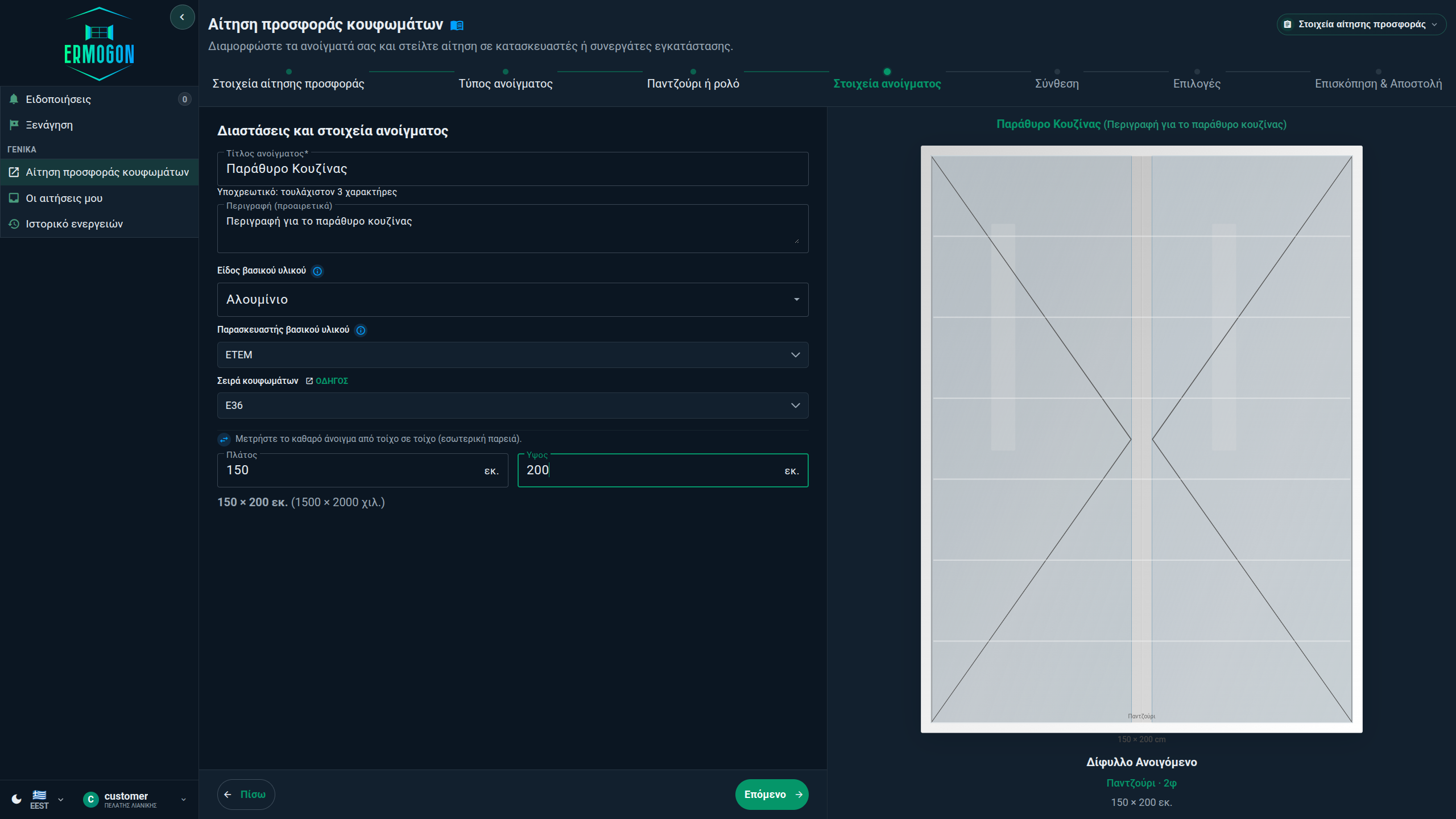
Enter the installation location and the material. Supplier and frame series may stay “No preference” or be set. Then describe each opening in the steps that follow.
Ermogon shows manufacturers and installers that serve your area and match your inquiry. You choose who receives it.
Track the inquiry status, receive the quote and record whether you accept or reject it through the platform.
For manufacturers and installers
You declare your coverage as a country, prefectures or a radius, and if you want kilometre bands with a minimum number of openings. You also set materials, opening types and your other capabilities, so you receive inquiries you can handle.
You receive inquiries that match your business. Contact details stay protected until you unlock them if you want to accept an inquiry.
Add as many sellers as you need. The administrator assigns each inquiry to a seller or to himself. The quote is prepared and uploaded inside the platform.
You can send one inquiry with several openings to up to four businesses. It is sent only to businesses that match it. If one no longer matches, it is removed before you can submit. A business that receives the inquiry unlocks the contact details when it wants to accept it.
For customers
See how you describe each opening step by step, without reading technical catalogues.
Quick selection and advanced configuration cover standard and more complex openings. Express mode asks only for opening types and quantities.
Choose among businesses matching location, material and capability criteria.
Review details, quotes, status changes and eligible rating actions.
You need an account to submit an inquiry. You can already read in the documentation how the configurator works.
For manufacturers and installers
Declare what your business can support, review incoming inquiries, send quotes and coordinate the sellers who handle them.
Maintain service areas, product capabilities, options and relevant documents.
Assign inquiries for quote preparation, unlock protected contact details when you want to accept an inquiry, and track the progress of inquiries and quotes.
Manage customers, employees, invitations, active sessions, notifications and activity history.
PAYGO and the subscription plans are billed differently. With PAYGO, you add money to a prepaid wallet and pay to unlock the contact details of each inquiry you are interested in. Subscription plans include a maximum monthly number of contact-detail unlocks, depending on the plan.
Inside the platform
The images use demo data, not real customers or companies. Select an image to enlarge it.
For customers
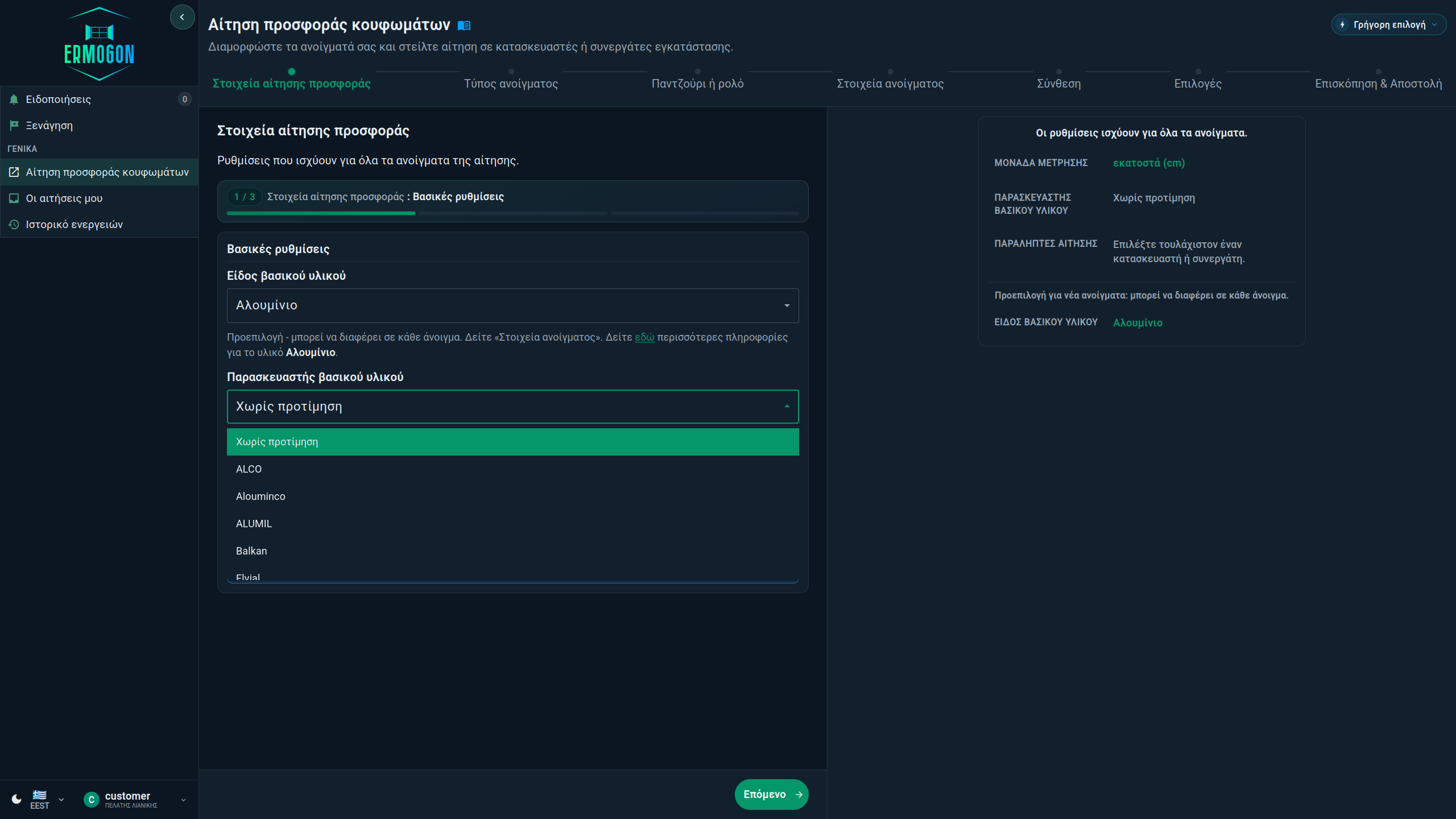
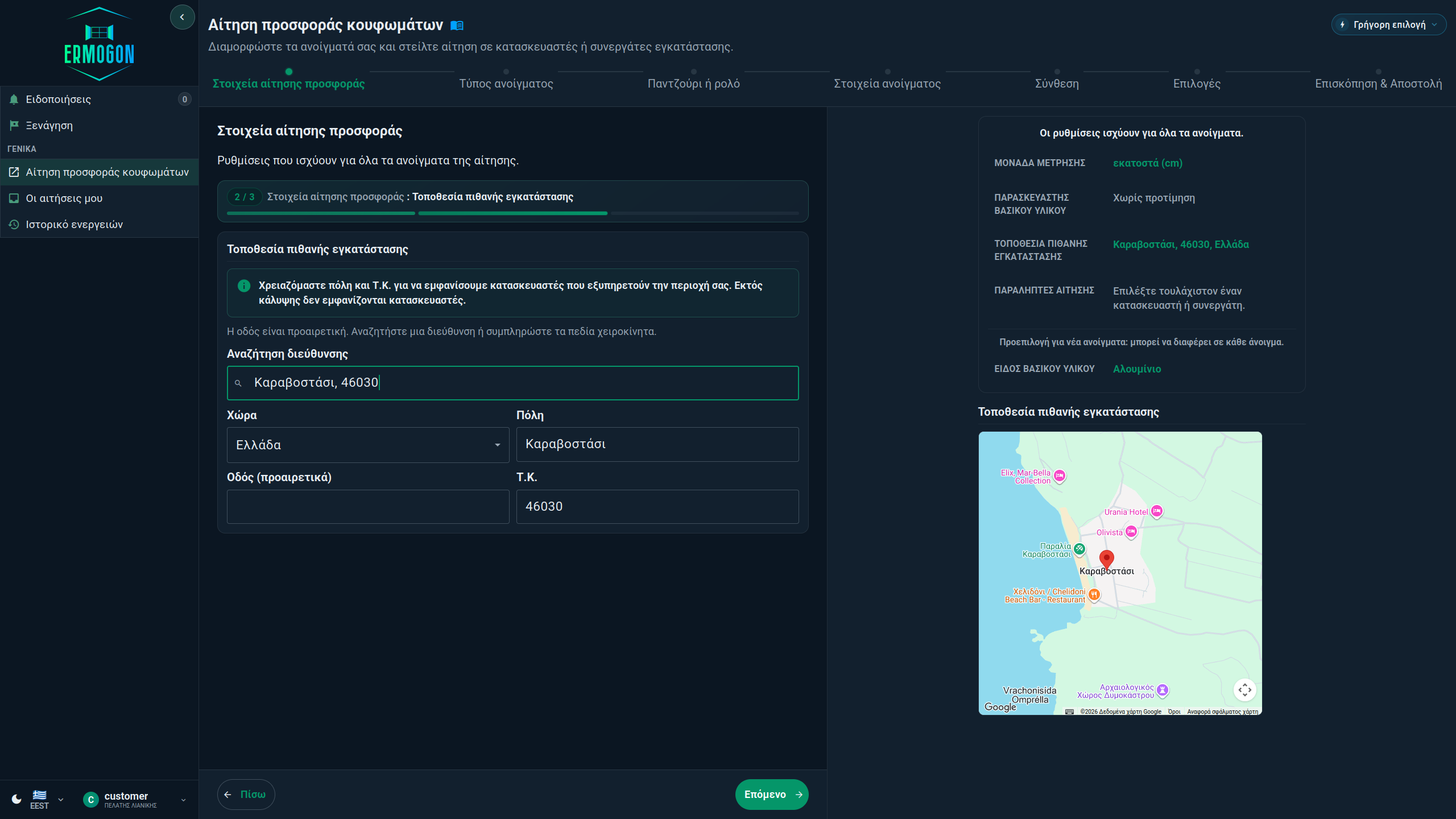
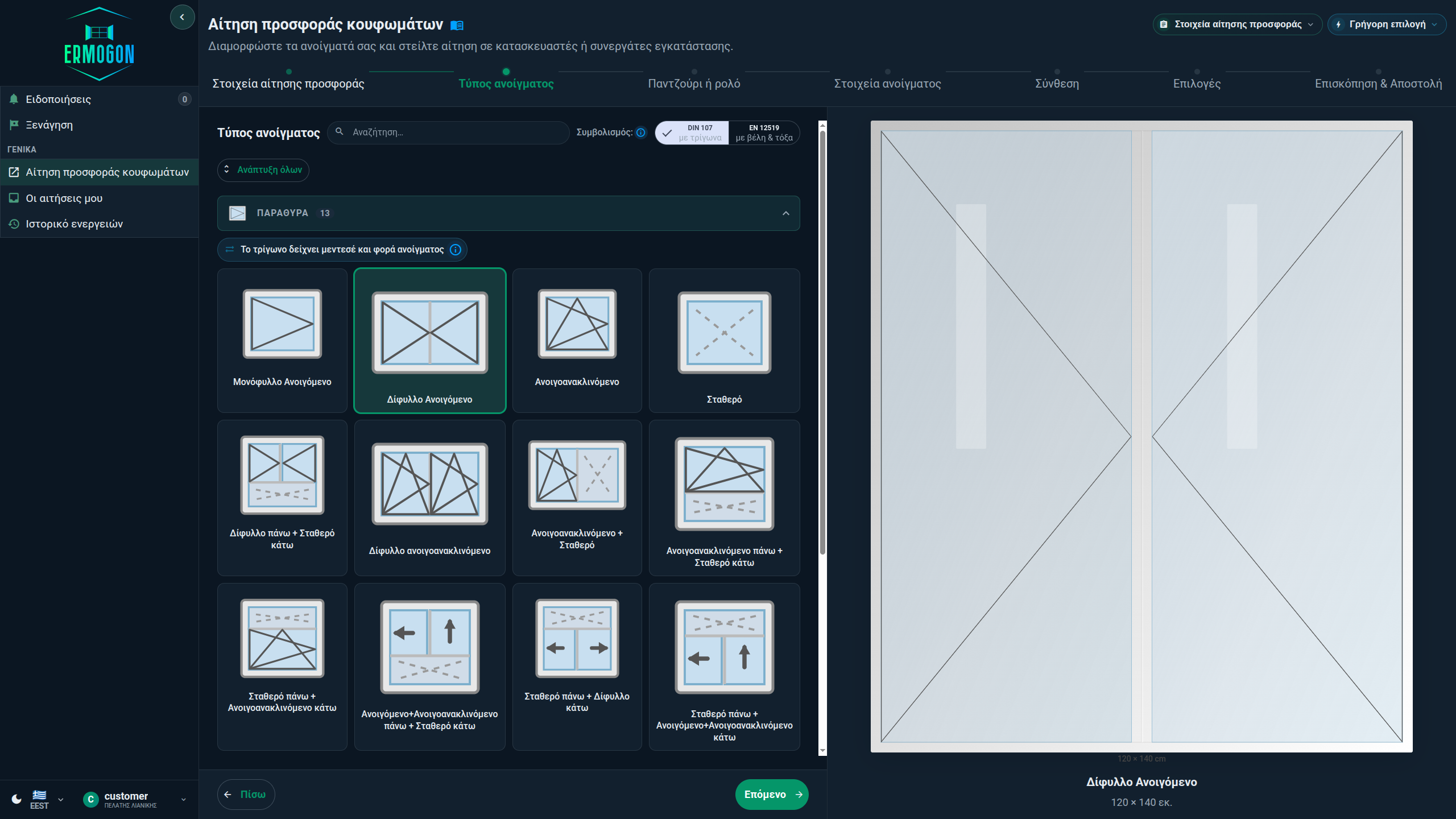
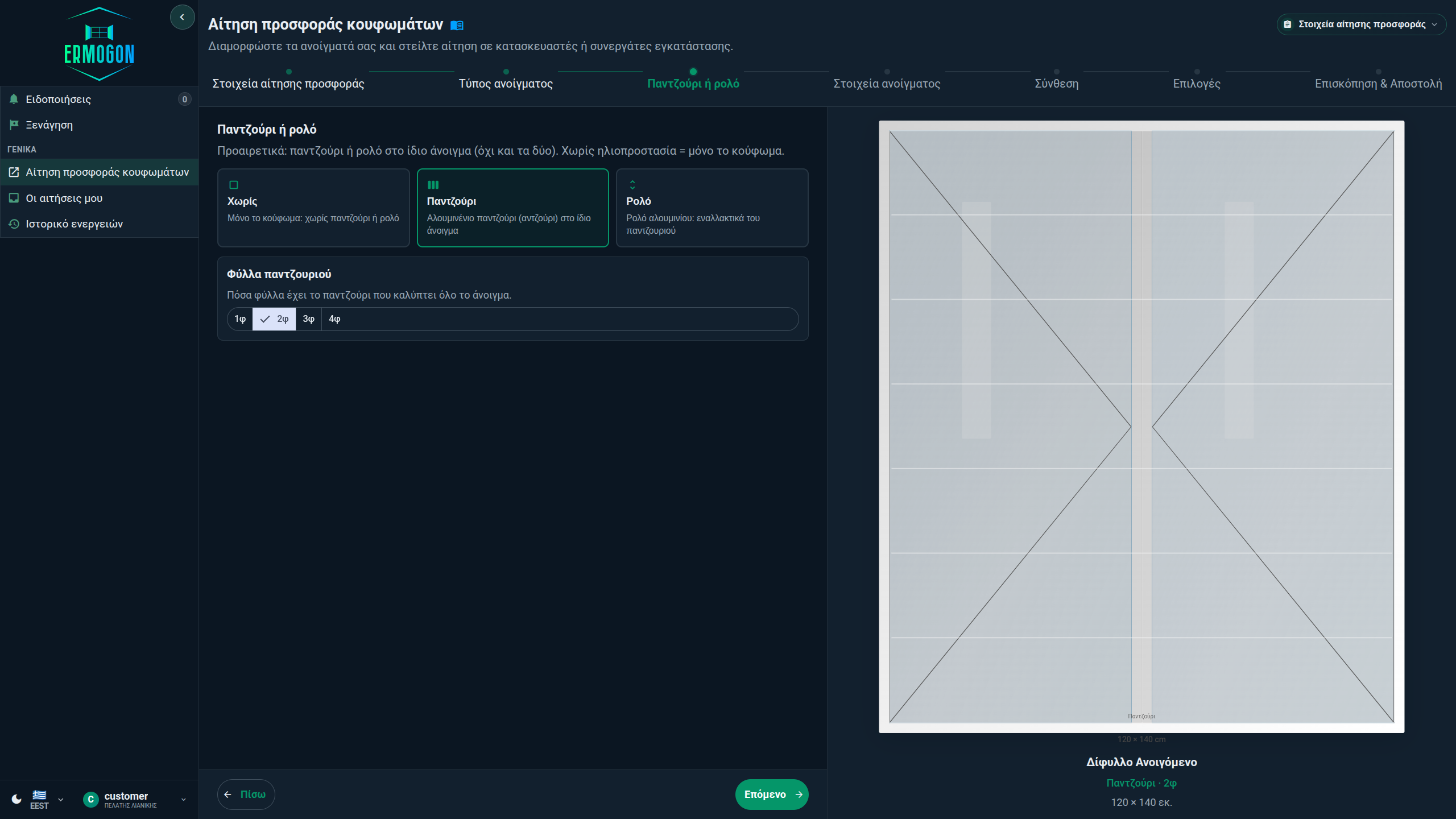
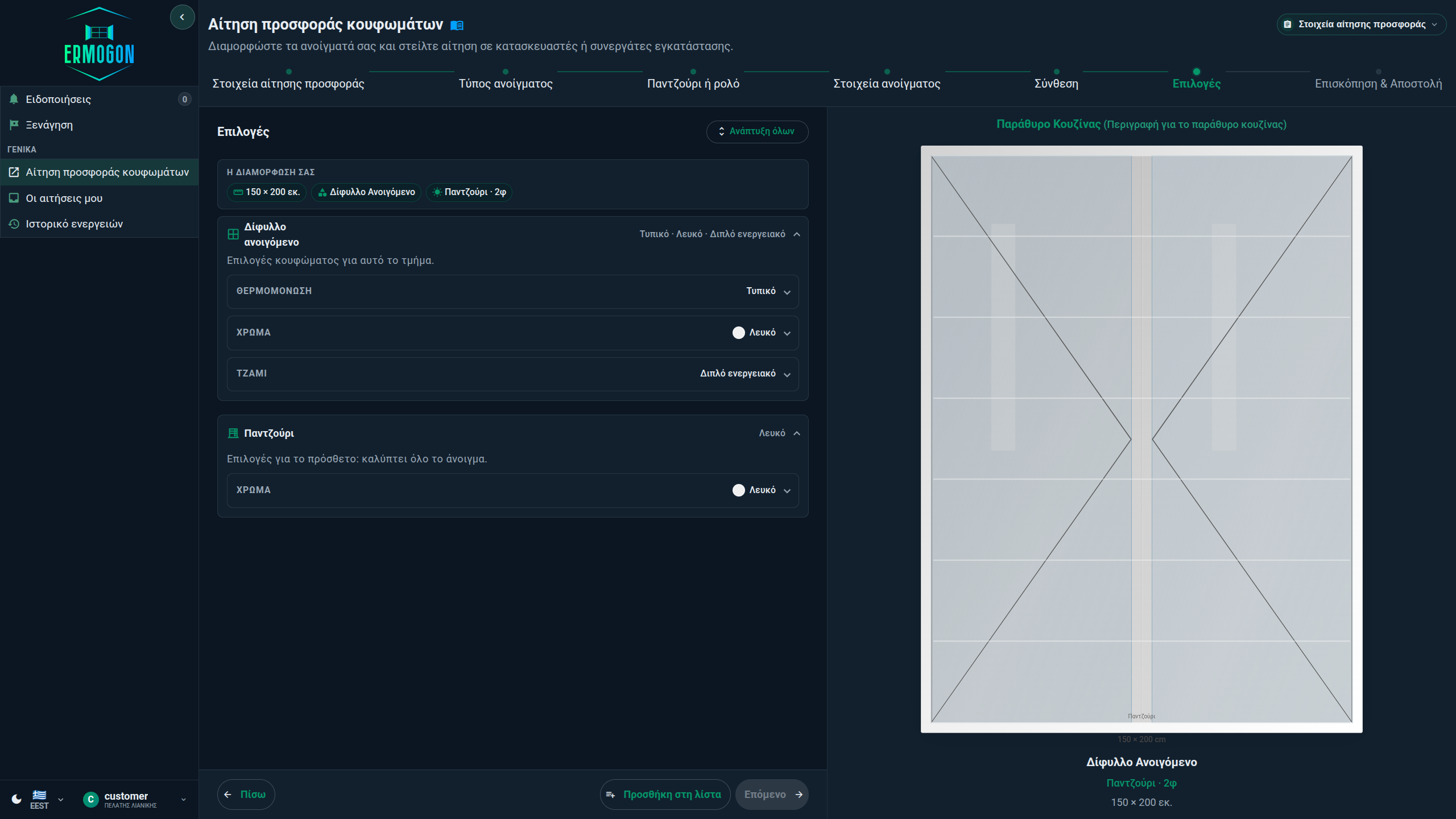
Two quotes with a large price difference usually do not include the same materials. Before you accept, also check the quoted working days for delivery and ratings from other customers, when they exist.
You choose who receives the inquiry and what you write. Each business sends its own quote: price, what it includes, when the work happens and how long the project will take to complete.
For manufacturers and installers


Commercial model
PAYGO has no monthly fee. You add from €30 to €200 net to a prepaid wallet and pay €6 to unlock contact details or €2 for the competitor list. Basic (€49 / month), Professional (€129 / month) and Enterprise (contact us) include a maximum monthly number of contact-detail unlocks and unlimited PDF quotes after unlock. Incoming inquiries stay visible on every plan, even when the limit is used up. Contact details then stay closed until the monthly limit renews or you upgrade. On PAYGO, they stay closed until the wallet has funds.
The free period is 90 days and does not start at registration. We give you up to 1 month for us to start directing inquiries to you. That time does not count as the trial, because without inquiries there is no reason for it to run. The period starts with the first valid customer inquiry or, at the latest, 30 days after registration. If none arrives, the total time from registration can reach 120 days (4 months). The selected plan limits apply. If the subscription is not renewed, a 14-day grace period applies. Ermogon can change prices, unlock limits and wallet limits.
Access and privacy
Each business's data stays separate. Access is set by role. You can sign out your business's active sessions at any time, for your own reasons. Actions are recorded, and contact details stay protected.
Ermogon may display certificates declared by manufacturers, installers or partners, but it does not certify that third-party certificates are genuine. The customer must confirm authenticity with the competent authority or body.
Documentation
Open the documentation. Each topic starts with the essentials, followed by steps, limits and special cases.
About Ermogon
Ermogon does not replace it. It keeps a shared record of the inquiry after acceptance, through delivery confirmation and the rating.
Where the name comes from
The name comes from the ancient Greek architect Hermogenes. He designed with system, proportion and rules. We ask for the same when an opening is configured correctly.
Hermogenes lived in the Hellenistic period. Vitruvius names him as the designer of Ionic columns and temples, including at Magnesia on the Maeander and at Teos.
In Greek Ερμογένης, in Latin Hermogenes. Ermogon keeps the root, without the initial H and with a shortened ending.
His architecture relied on order and proportion. In Ermogon, typology, dimension limits and a shared drawing come before the quote.
Vitruvius calls him an architect and describes columns he designed. We borrow the name as a symbol of order in structure. We do not claim historical continuity with every building of the period.